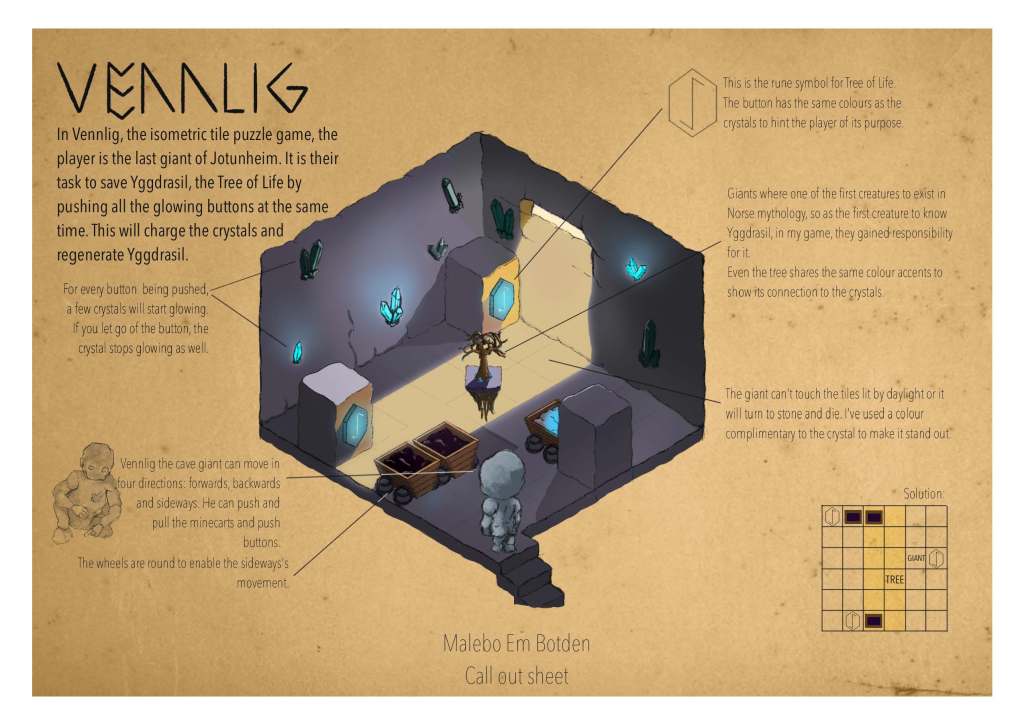
In my previous post I wrote about my concept for a puzzle game. Well, I’ve made a puzzle call out sheet!
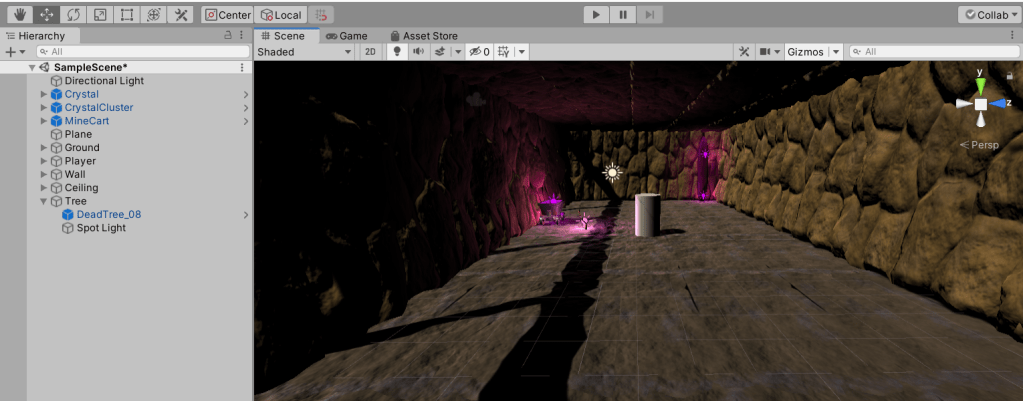
I’ve set up my Unity project (which took a while, since I just got a new laptop and had to set up my Sourcetree link as well) and created the scene.
I used an asset by Astire Games called “Purple crystal mine” so save time. I would love to create my own assets, but at the moment my focus should lay elsewhere!
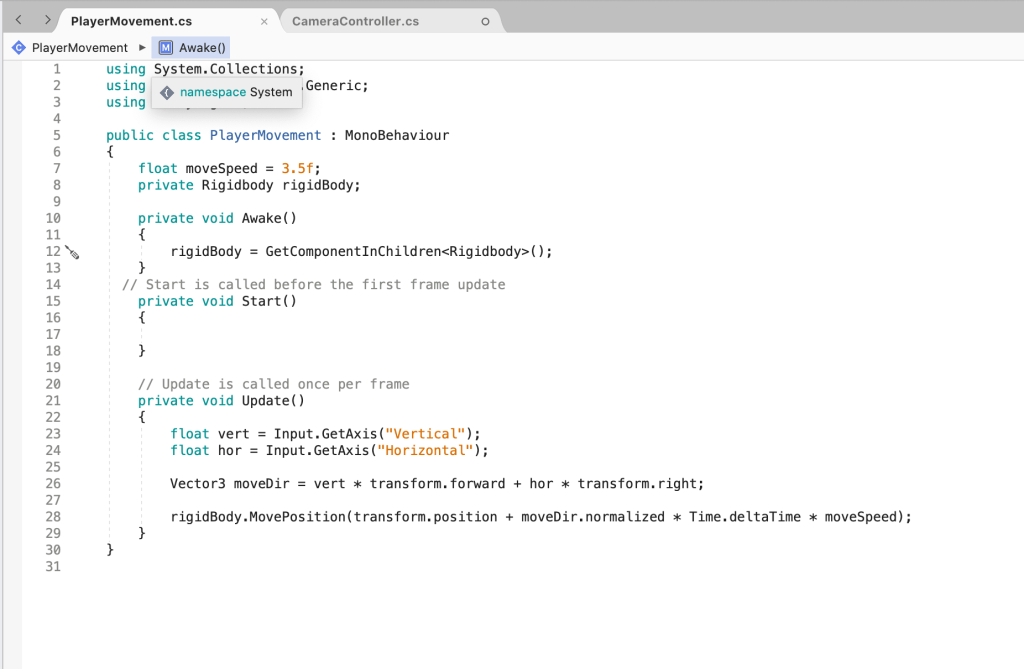
I’ve fixed the first player movement as well, so now it’s time to start inserting the puzzle mechanics.
My second and last assignment for this class is to design and create a puzzle game. At first, I was really enthusiastic, but I’ve come to find it a real challenge! I tend to overthink everything and this didn’t help me when I was trying to find a theme. Some themes I’ve come across were:
A sponge trying to move water
A flame trying to get back to the fireplace
A ringleader trying to smuggle kids out of town
Just two kids trying to get out of town
One kid who has to do something on a train…
I’m sure each of these ideas would have been fine if I wasn’t stuck in a creative block. I decided to take a break for a few days and give it another try and today I managed to create an almost solid concept! I’ve combined this assignment with my assignment for art class. It’s inspired by Jotunheim from Norse mythology.
A gentle giant (the player), living in the caves of a mountain, finds a tree. The tree is dying because there is no daylight. The goal of the game is to let daylight into the cage, but you have to be careful because the giant can’t be touched by the sunlight or it will turn to stone.
You will have to use crystals (mirrors), pressure plates and mine carts to solve the puzzles!
This week was hard! I’ve been working from home due to the coronavirus and had to finish another project as well, so I had a lot to catch up on. This week I’v managed to build the final part of the game, add a key and door mechanic, created and implemented UI and I fixed all the bugs (I think).
Menu background!
I drew the background for the menu and the icon myself and found it really create a main menu, pause menu and end credits with Brackeys tutorials on YouTube! After this I just had to look up how to close UI after leaving the trigger zone and with that I managed to adjust the information from Brackeys tutorial to turn it into a mechanics info pop-up. The information about the controls is given by grabbing scrolls. While you’re in the trigger/box collider zone, the scroll will stay opened.
I used a tutorial about opening doors with triggers by Single Sapling Games to create a door and key mechanism. I just had to import a key asset and add an animation for the rotating key myseld. Luckily, I rememberd the animation tool from Brackeys tutorial. I also used the animation tool to add a glowing effect to the firefly power-up.
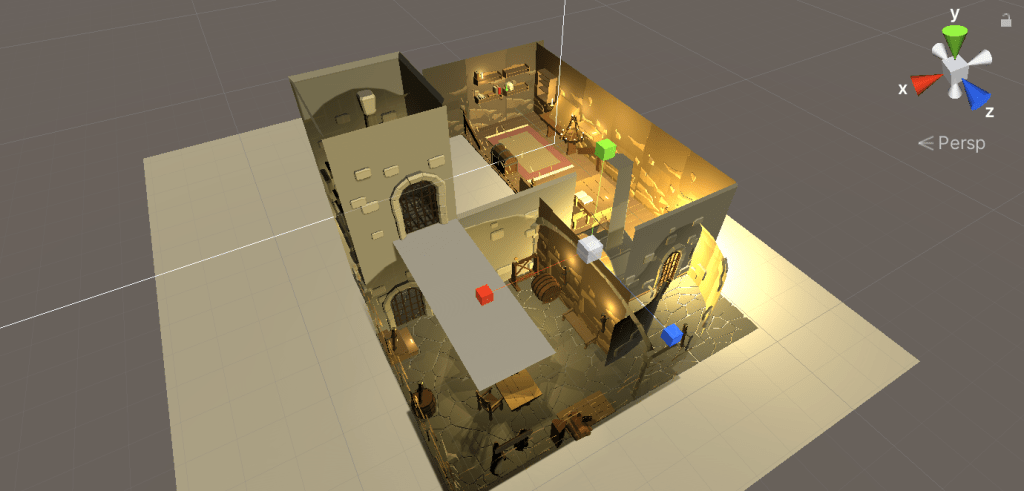
An overview of the map!
The level building was just a lot of copy pasting and after that I just had to playtest and fix bugs. It’s actually really sad. I suck at parkour and it took me over an hour to finish my own level build! When I did actually manage to do it, the gameplay was only five minutes long :’).
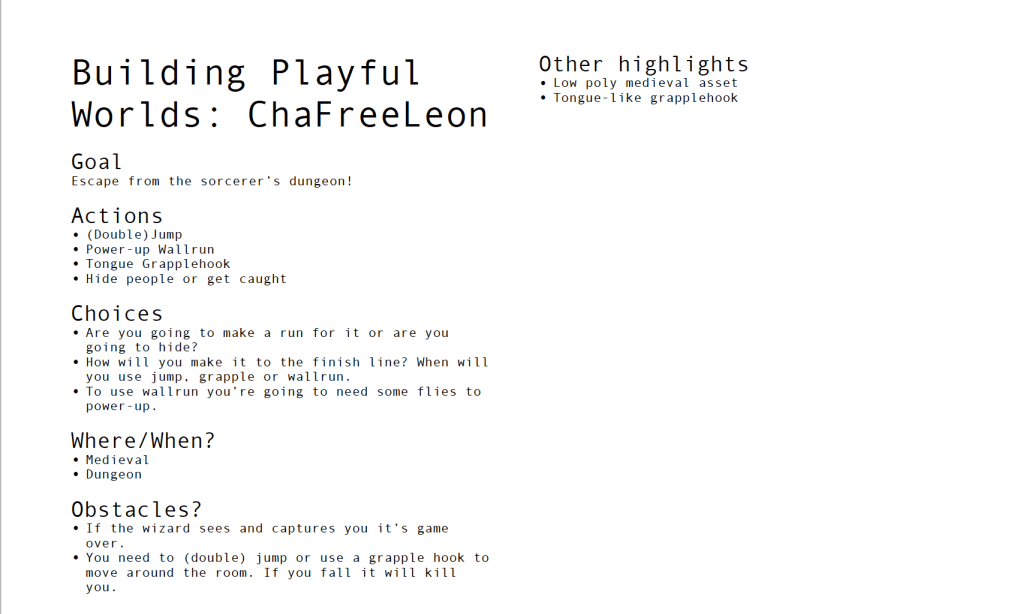
An overview of the gameplay mechanics
Fun fact: I only discover today that it’s grappling hook, not grapple hook… At least I did before the deadline…
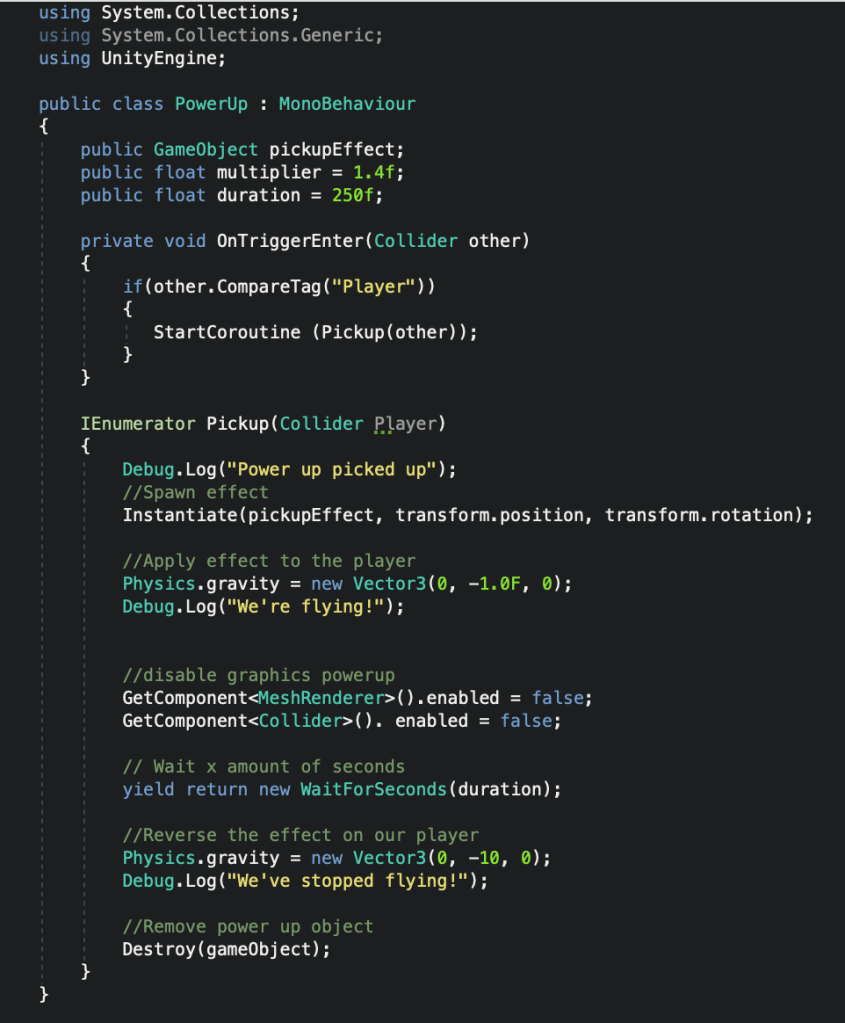
I managed to implement a power up! At first I wanted to use a wall run, but I kept struggling with the coding, so today I decided to turn it into a floating power up and it worked! I’m really proud of myself, because even-though I used Brackeys tutorial for the power up mechanism, I managed to turn it into a floating effect by myself!
Now I just need to add a menu and win screen and then I’ll be done!
This week I decided to change my concept. The original concept was rather a shooting game than a parkour game. Even though the concept seems quite different at first it’s actually a spinoff of the original game. Instead of the player having to catch animals, the player is the animal trying to escape. The medieval vibe wasn’t my original idea, but I found an amazing asset which suited the idea well.
Because I started out with a new concept I decided to start a new Unity project as well. I noticed this helped me a lot, because it was a literal clean slate. Ik managed to implement all the mechanics I learned so far and built a level.
There’s a lot of objects and coding for just one day of work!
I’m still going to learn about wall runs, find an enemy asset and implement flies for power-ups. After that I’ll just need to fix a roof and built the final level!
The frame rate is a bit low in the video, due to the screen recording…
Last week I was tackled by the flu so I didn’t manage to practice in Unity, but now it’s time to make progress!
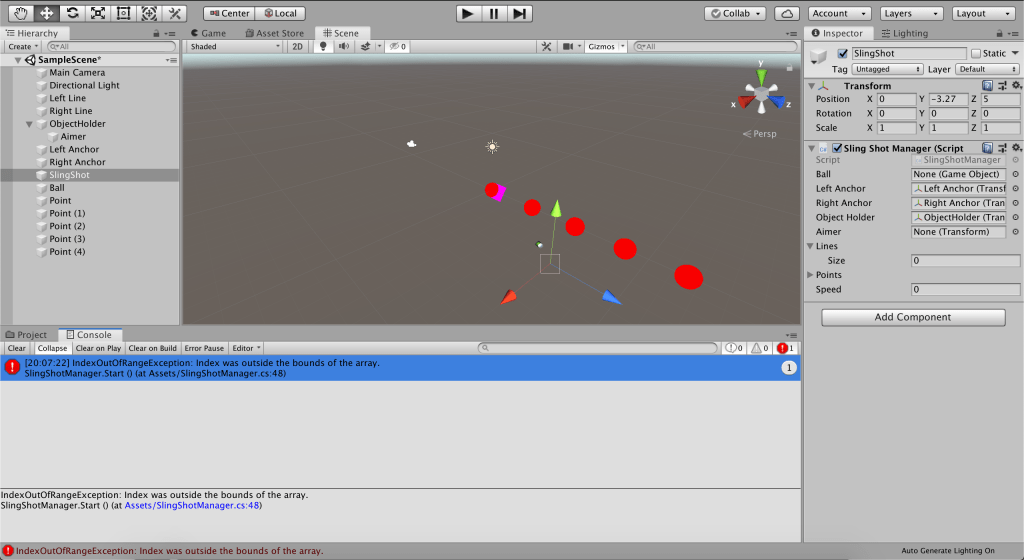
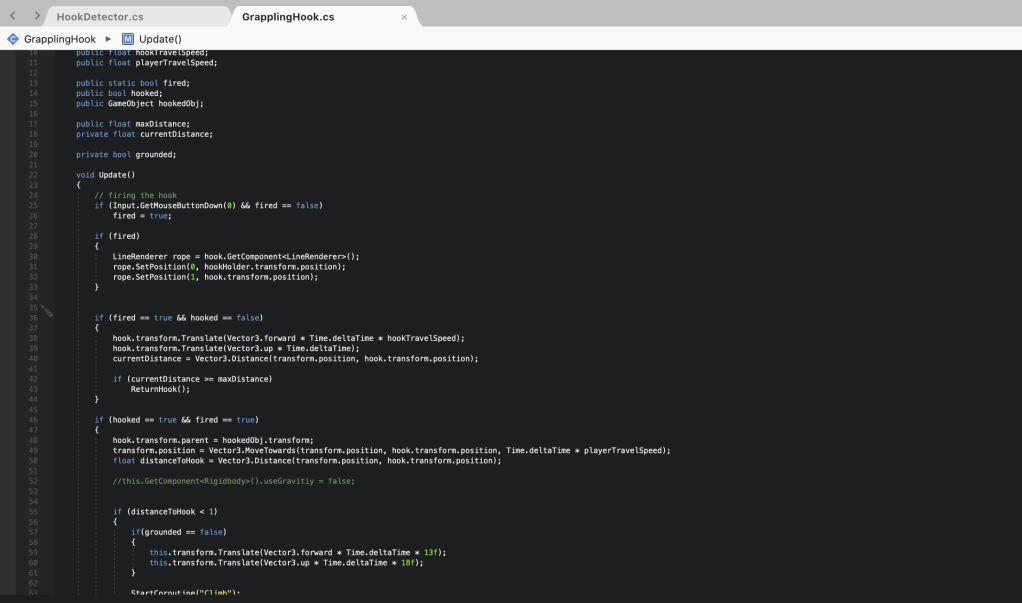
I’m trying to implement a grappling hook, but I’m having difficulty getting the hook to actually grap on objects… I used two tutorials so far, without succes… But practice makes perfect (I hope…).
I realised pretty soon the first tutorial wasn’t going to work…Code from the second tutorial…
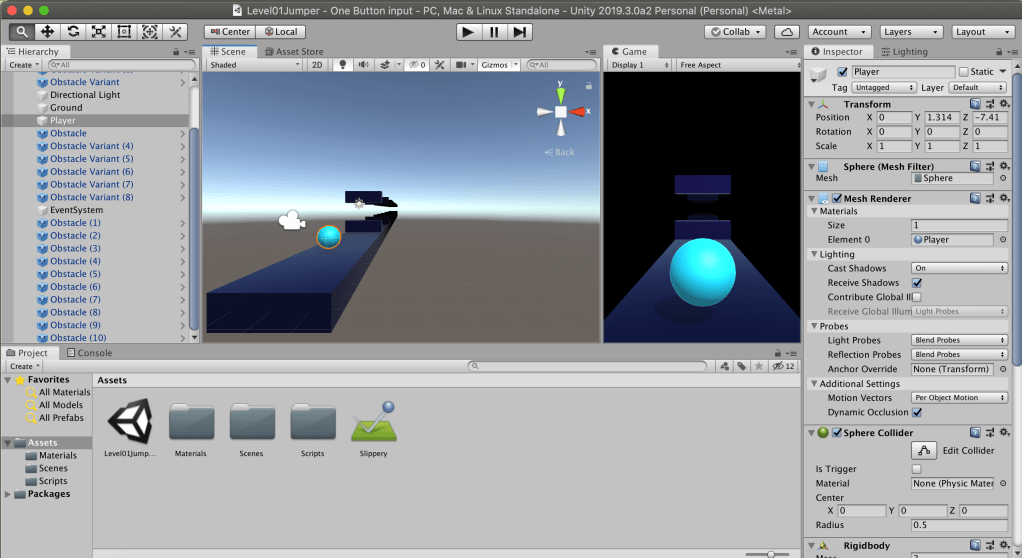
This week I created a quick prototype for a one button game. I wanted to create a 3D flappy bird-like game. I decided to use last week’s Breckey’s tutorial and try to experiment for this version. It went pretty well! You have probably already seen the picture below and read the title, but bear with me! I was able to change the code to jumping without the help of another tutorial and there’s an improvement in the aesthetics as well. Now, as can be seen in the picture below I struggled with… whatever you call this. Every time I triet to test run my game in Unity this would happen. I think it might have something to do with the RAM of my Macbook. When I hit build and run, the game suddendly worked perfectly fine, so as far as I know, it wasn’t actually anything I did…
I can’t lie, It looked mesmerizing…This week’s chaos…
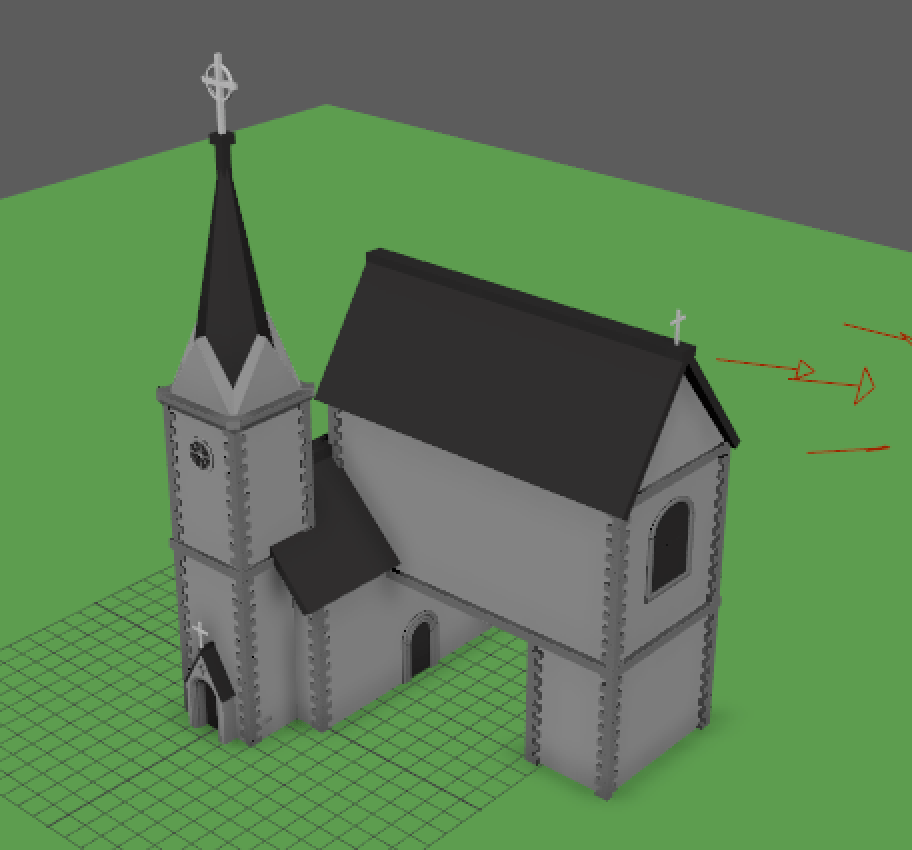
In my first 3D modelling class, I learned how to use basic shapes! The tall tower in the images was modelled by my teacher. I designed everything else! The church is not very fancy, but I did learn all the shortcuts and terminology.
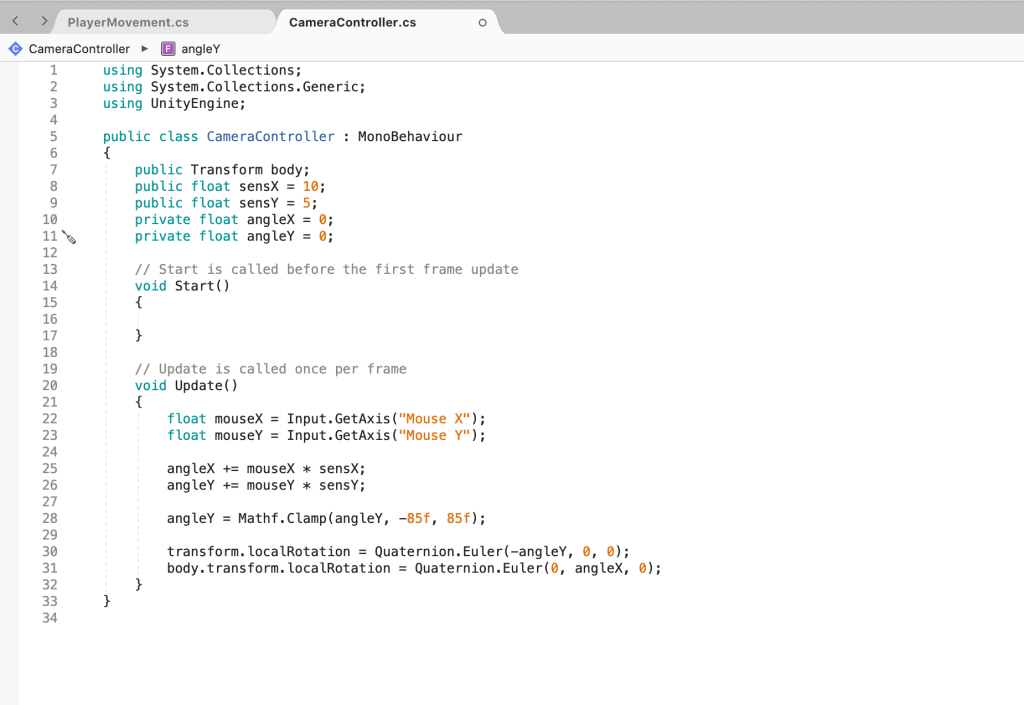
Yesterday, I folloYesterday, I followed Brackeys tutorials on how to make video games. In these tutorials, I learned (amongst other things) how to make my player move from left to right. Today in class, I learned how to make my player move forward and backwards too! Almost everything worked first try!
I did learn that some libraries from the Asset Store clash and had to delete one…

 Malebo Em’s Playful World